HOW IT WORKS

Four questions. Then a plan that keeps listening.

TrainPlan asks four things about your goal, your week, your gear, and your body. It builds a plan from the answers, then keeps rebuilding it every time your training data gives it a reason to.

Founder pricing: first 1,000 members lock in 40% off forever.

~5 minutes of setup

One-time. Most of it is tapping through options, not typing.

Plan ready in under a minute

Generated the moment you finish setup.

Then: hands-off

The plan stays current on its own. You only open the app when it's time to run.

SETUP

The four questions, as they actually look.

Under five minutes on a phone. You can skip the health store and connect it later.
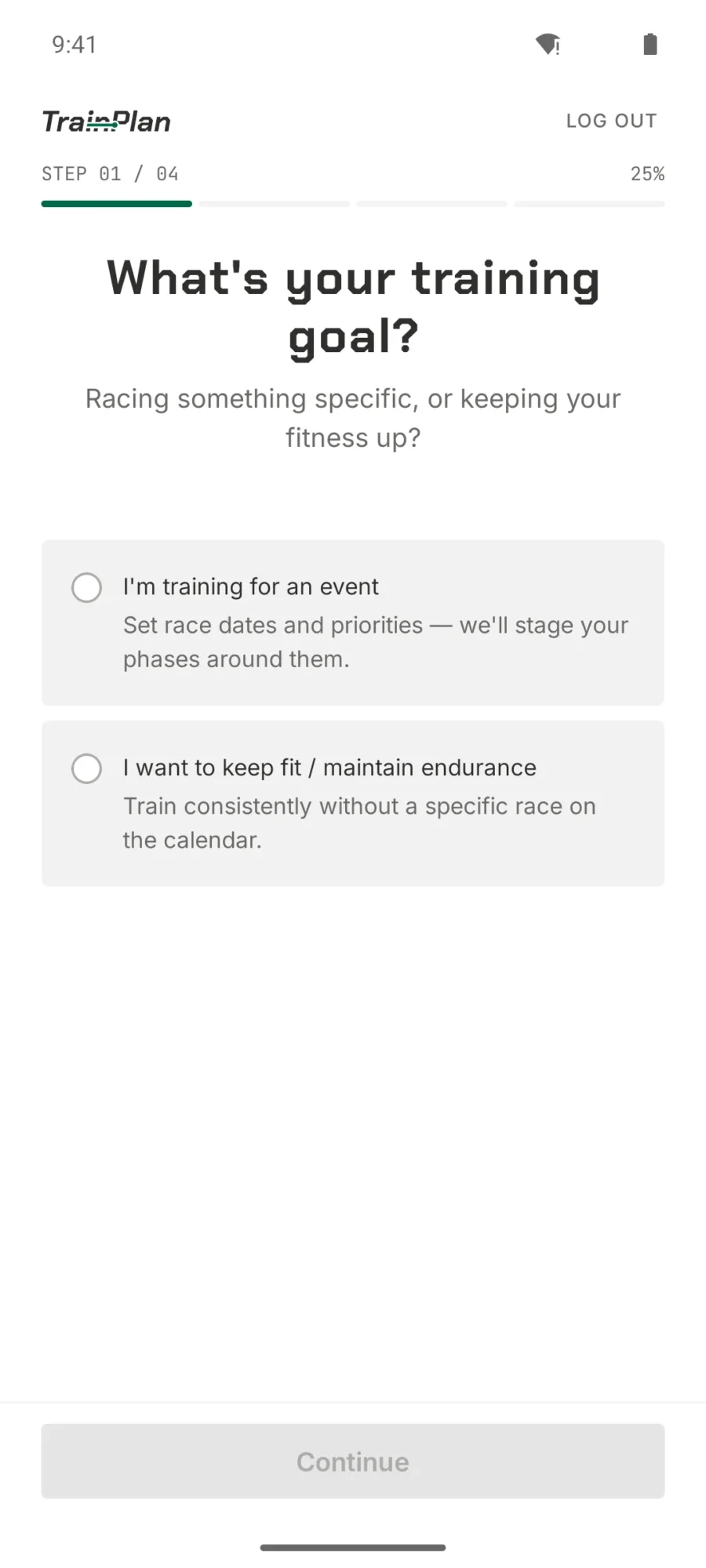
  • TrainPlan onboarding step one asking whether you are training for an event or maintaining fitness
    Step 1 — Your goal Racing something specific, or keeping your fitness up?
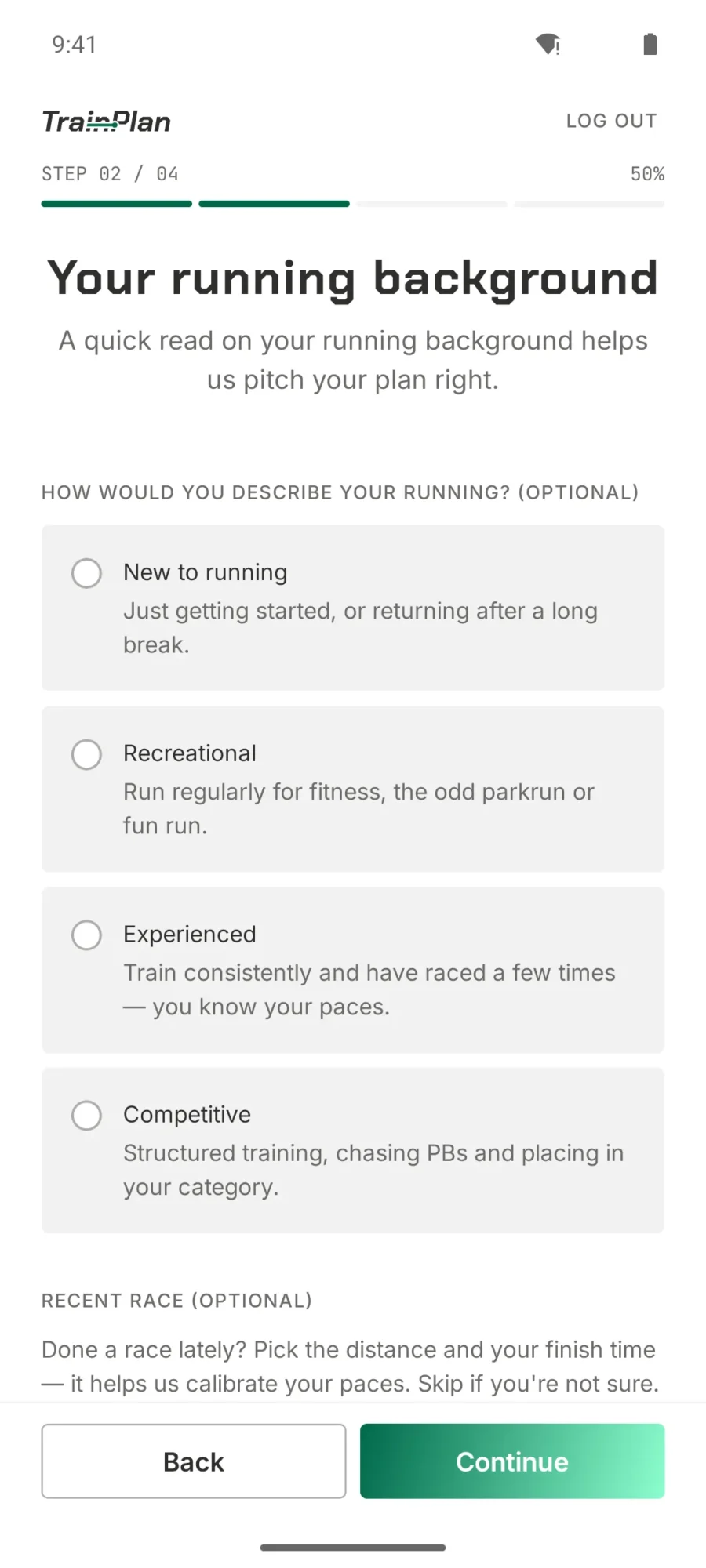
  • TrainPlan onboarding step two asking for your running background from new to competitive, plus a recent race
    Step 2 — Your background A quick read on your running history, so the first plan lands at the right level.
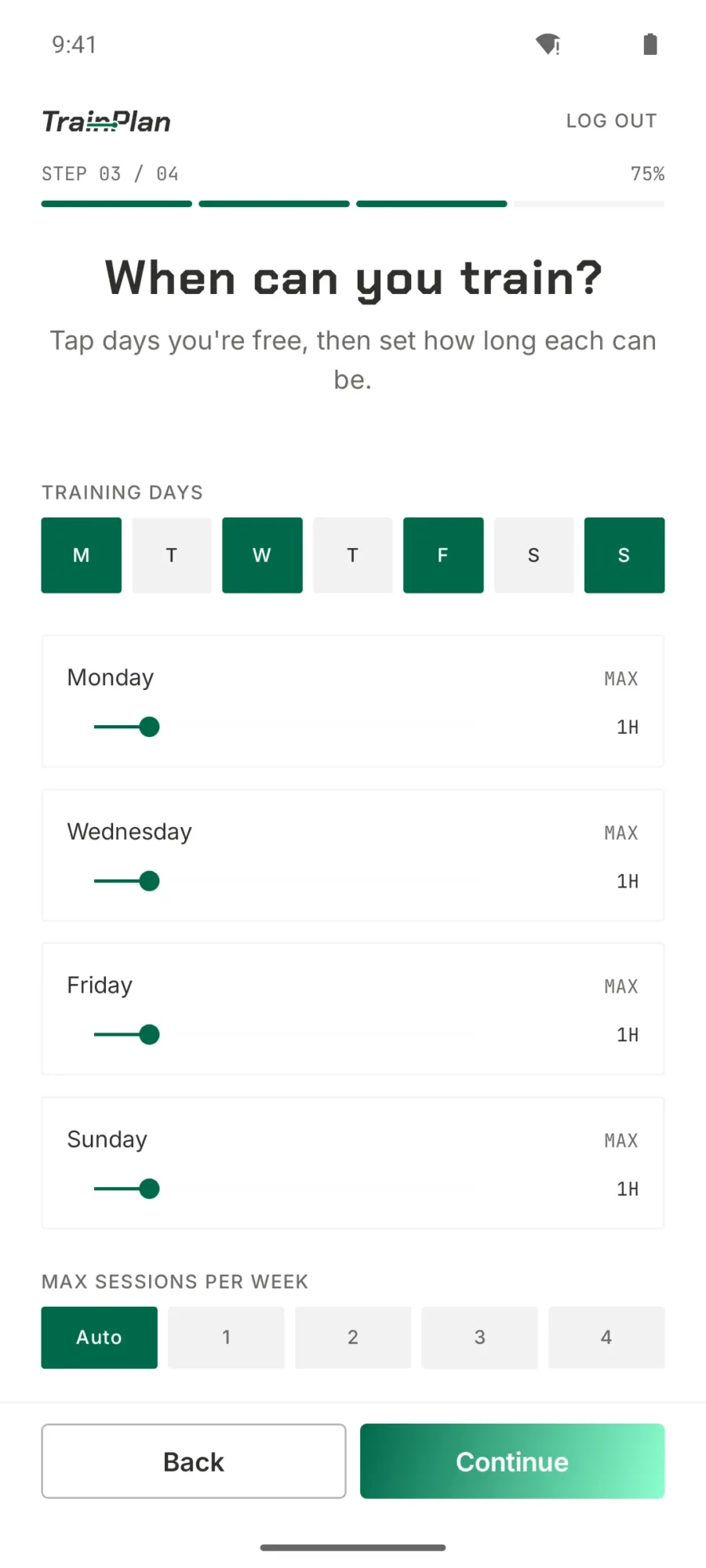
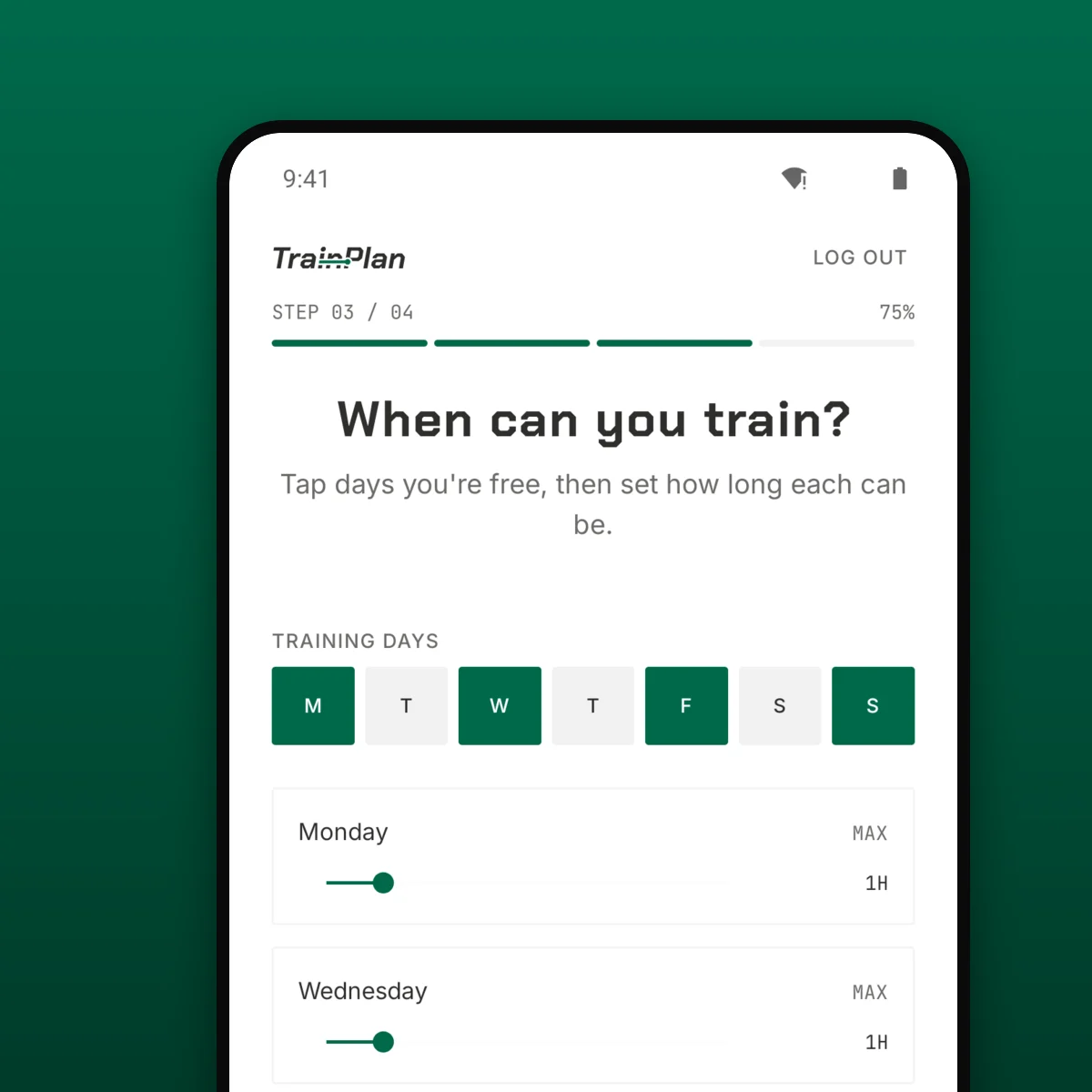
  • TrainPlan onboarding step three with training days selected and a maximum duration per day
    Step 3 — Your week Tap the days you're free, then set how long each one can be.
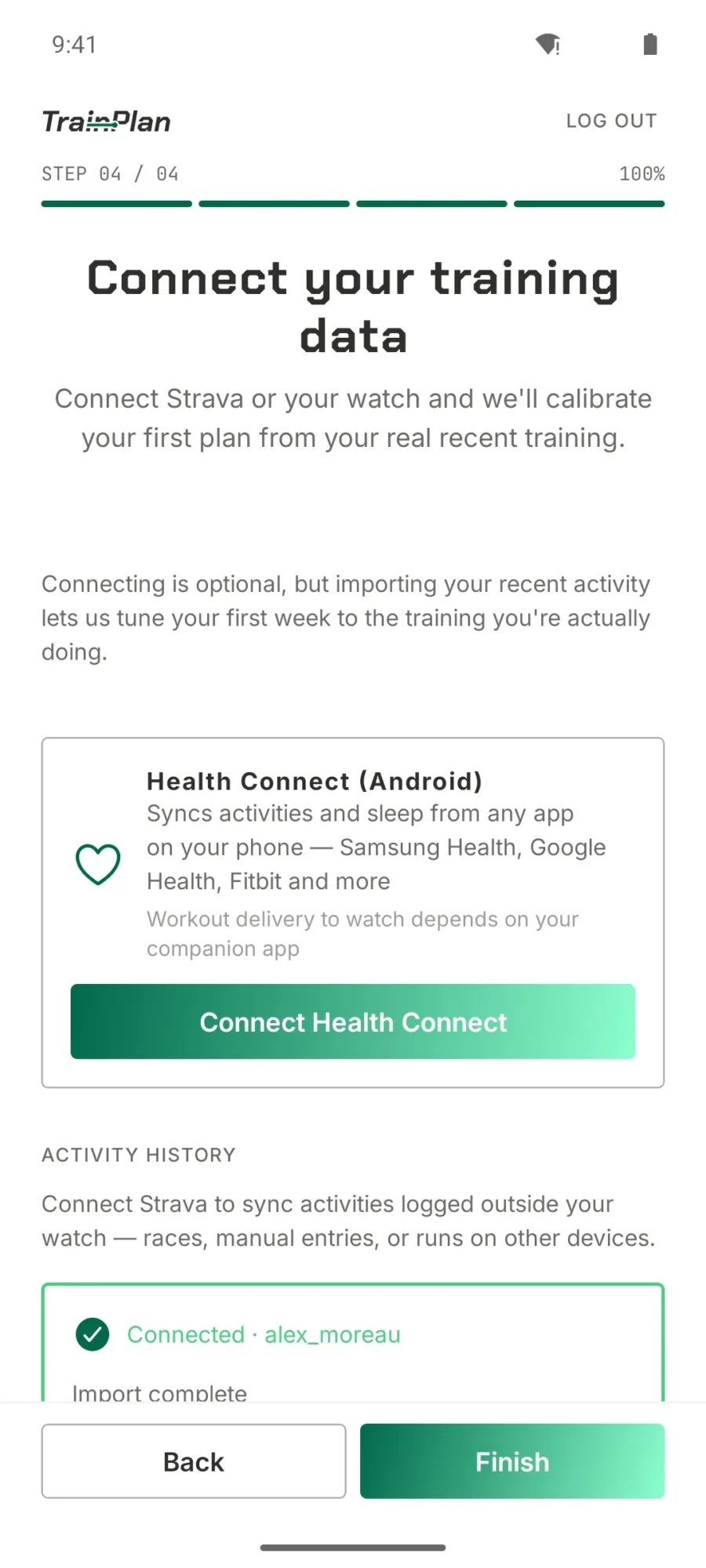
  • TrainPlan onboarding step four offering Health Connect and Strava to import recent training
    Step 4 — Connect Health Connect or Apple Health, so week one is calibrated on runs you actually did.

STEP 1

Pick your race — or your races.

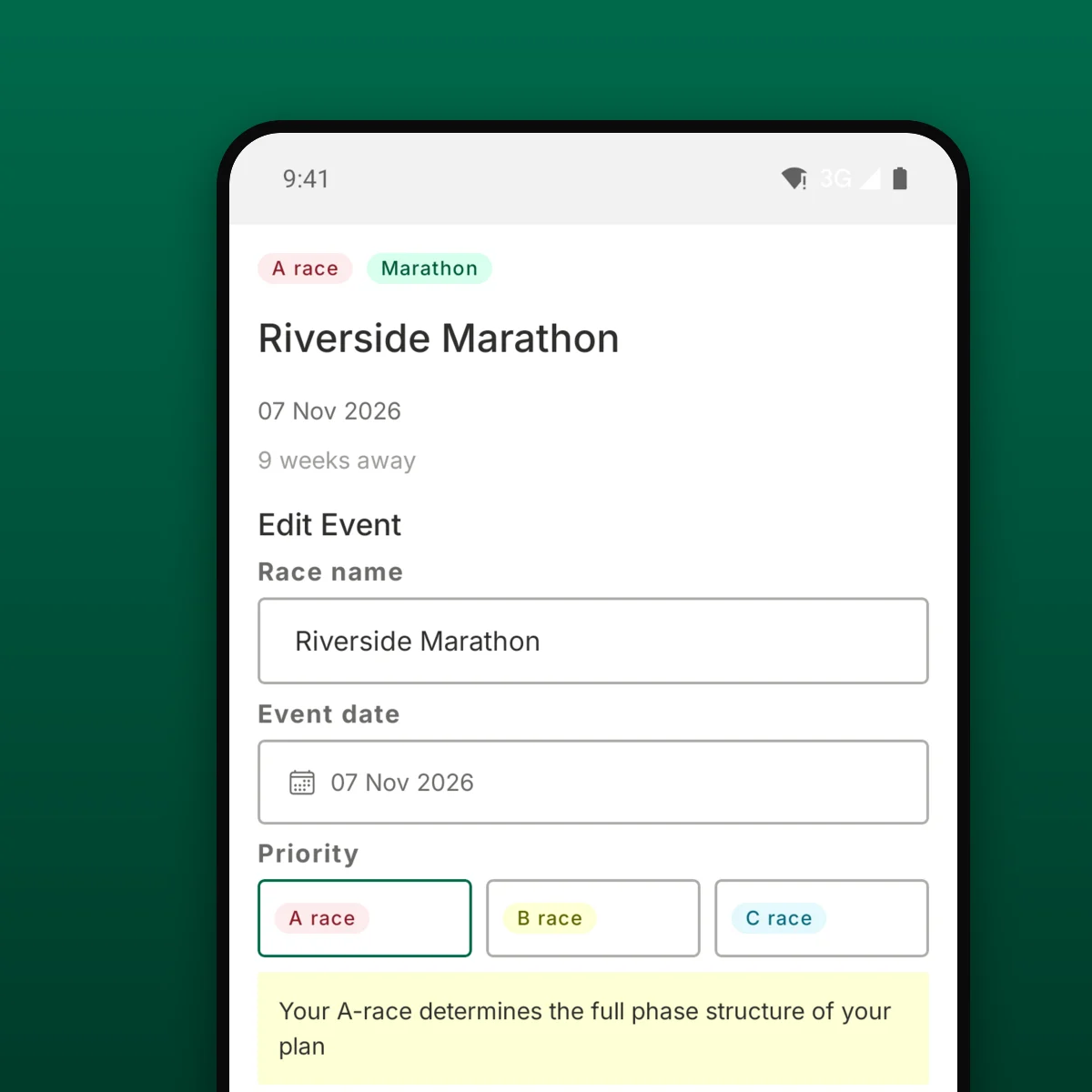
Tell TrainPlan what you’re training for and when it’s happening. You can stack more than one goal. A 10K in June, a half in October, a track season tucked in between. TrainPlan sequences them so the important ones peak at the right time.
Supported events
Endurance — 5K · 10K · Half marathon · Marathon
Track — 100m · 200m · 400m · Middle distance · Multi-event
If your event isn’t here, the app will keep asking — we’re adding disciplines month by month.

STEP 2

Tell us the week you actually have.

Generic plans assume infinite availability. TrainPlan builds from the week you actually have. We ask four quick things:
Which days you can train. Tuesday/Thursday/Saturday? Fine. Only weekends? Also fine — the block structure adapts to what you’ve got.
What gym you reach. None, home, or commercial. We use this to pick strength and cross-training sessions that actually fit your equipment.
Any injuries or exclusions. Dodgy knee, plantar history, shoulder you’re protecting. TrainPlan skips the movements that would aggravate them.
Preferred session times. Morning, midday, or evening. Affects when session reminders arrive and how hard sessions are sequenced around recovery.

STEP 3

Let TrainPlan see what your watch sees.

The adaptation engine is only as good as the data it reads. Connecting takes one tap, and the connection stays put — we are not going to badger you to reauth every week.

  • Apple Health — workouts, heart rate, HRV, resting heart rate, sleep.
  • Health Connect — runs, heart rate, HRV, sleep, distance and speed. On Android, tomorrow’s session is written back into it.

You connect the store, not the watch. Whatever your watch already writes there — Garmin, Polar, Samsung, Apple — arrives without TrainPlan ever talking to the brand.

STEP 4

Your plan is ready before your kettle boils.

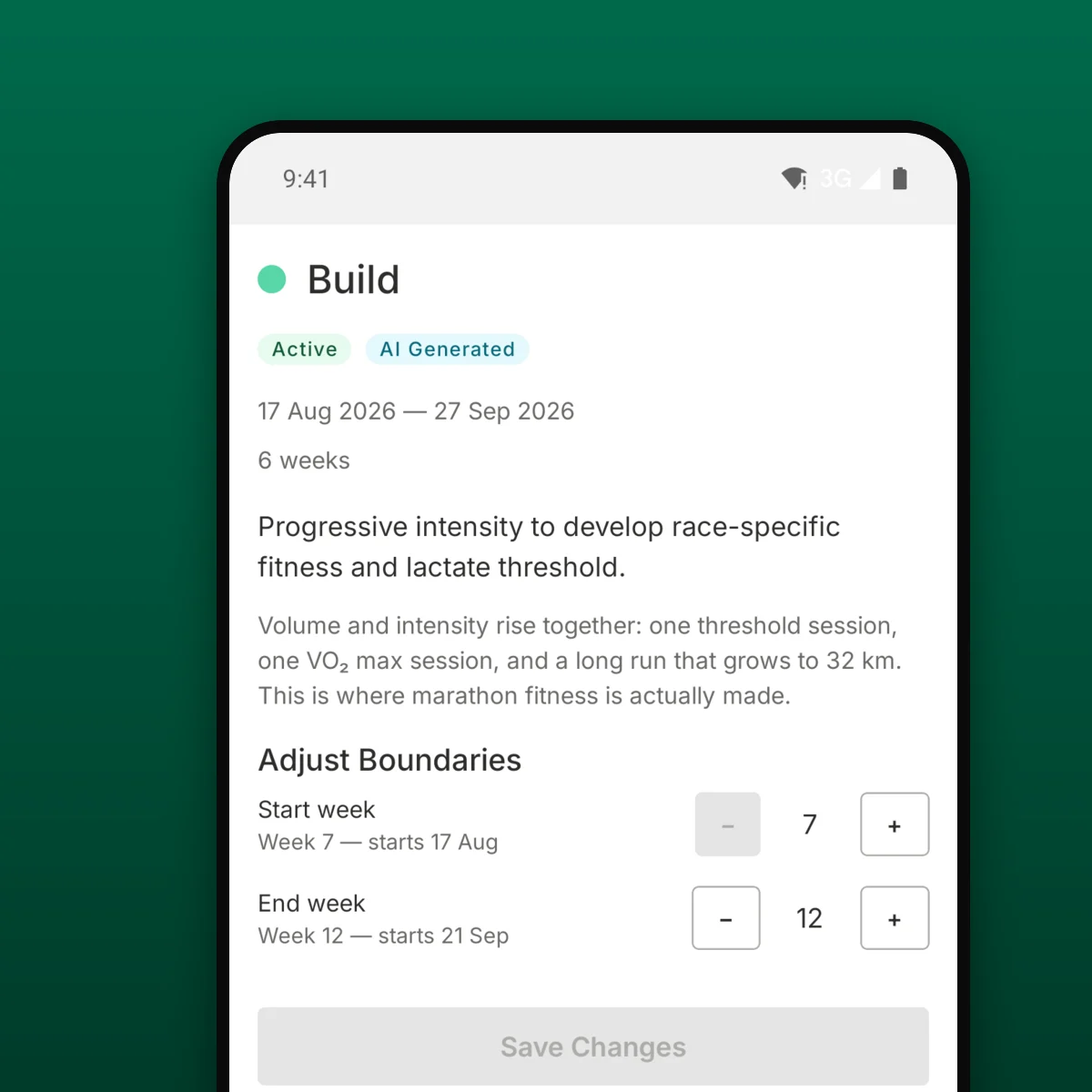
Once setup is done, TrainPlan builds a full block from today to your race. You get a calendar of sessions — easy runs, tempos, intervals, long runs, rest days, strength days, test events — each with:
A pace zone tuned to your current fitness.
A session rationale in plain English — why today’s session is what it is, not just what it is.
Block-by-block structure — base, build, peak, taper — with visible transitions.

AND THEN

The plan keeps listening — to your watch and to you.

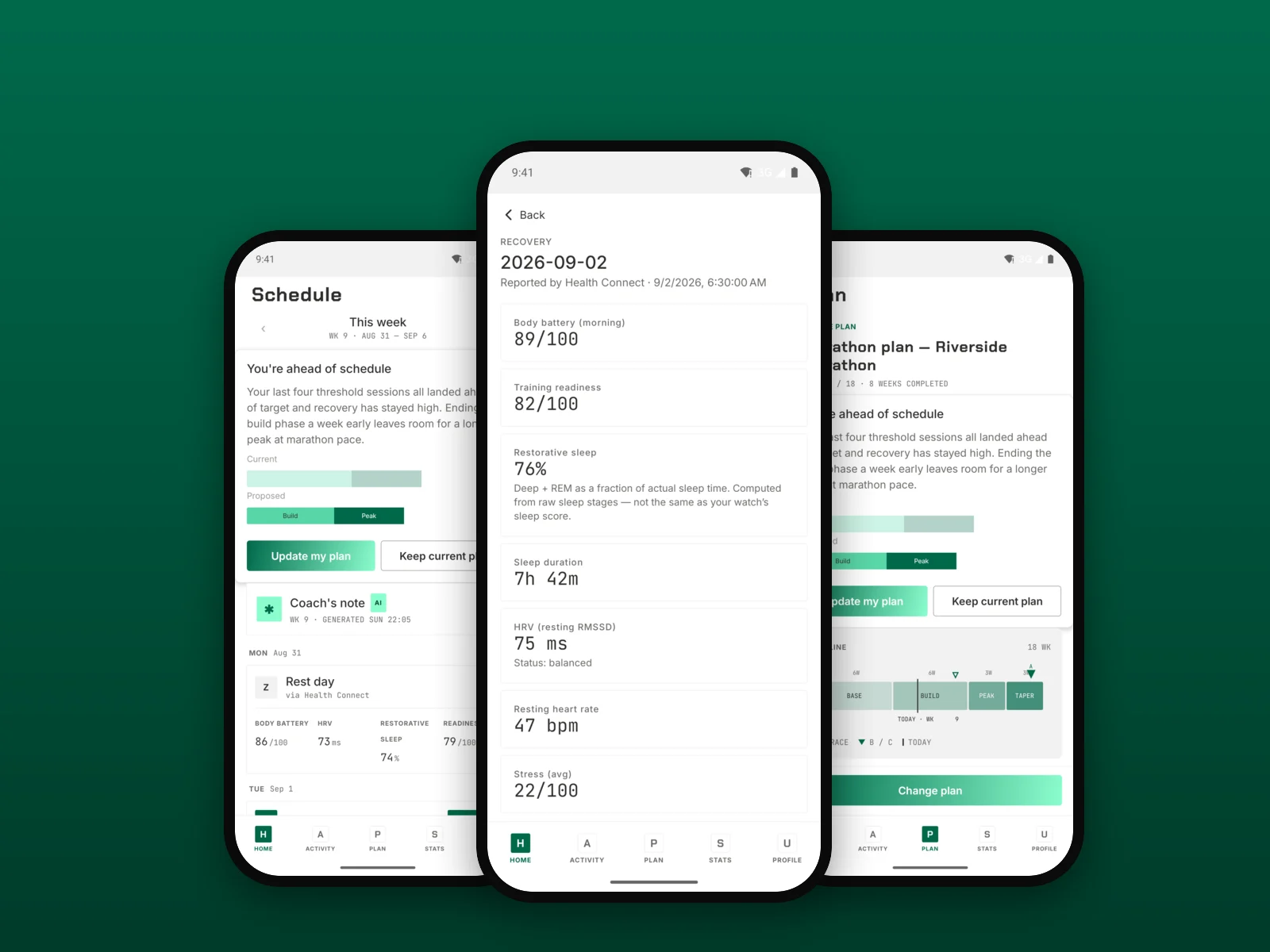
This is the part most training apps don’t actually do. TrainPlan watches five signals and rebuilds the plan when any of them gives it a reason to:
Completion. Did you do the session, skip it, or only finish part of it?
Heart rate and pace vs. the zones we prescribed. Way above? Way below? Both matter.
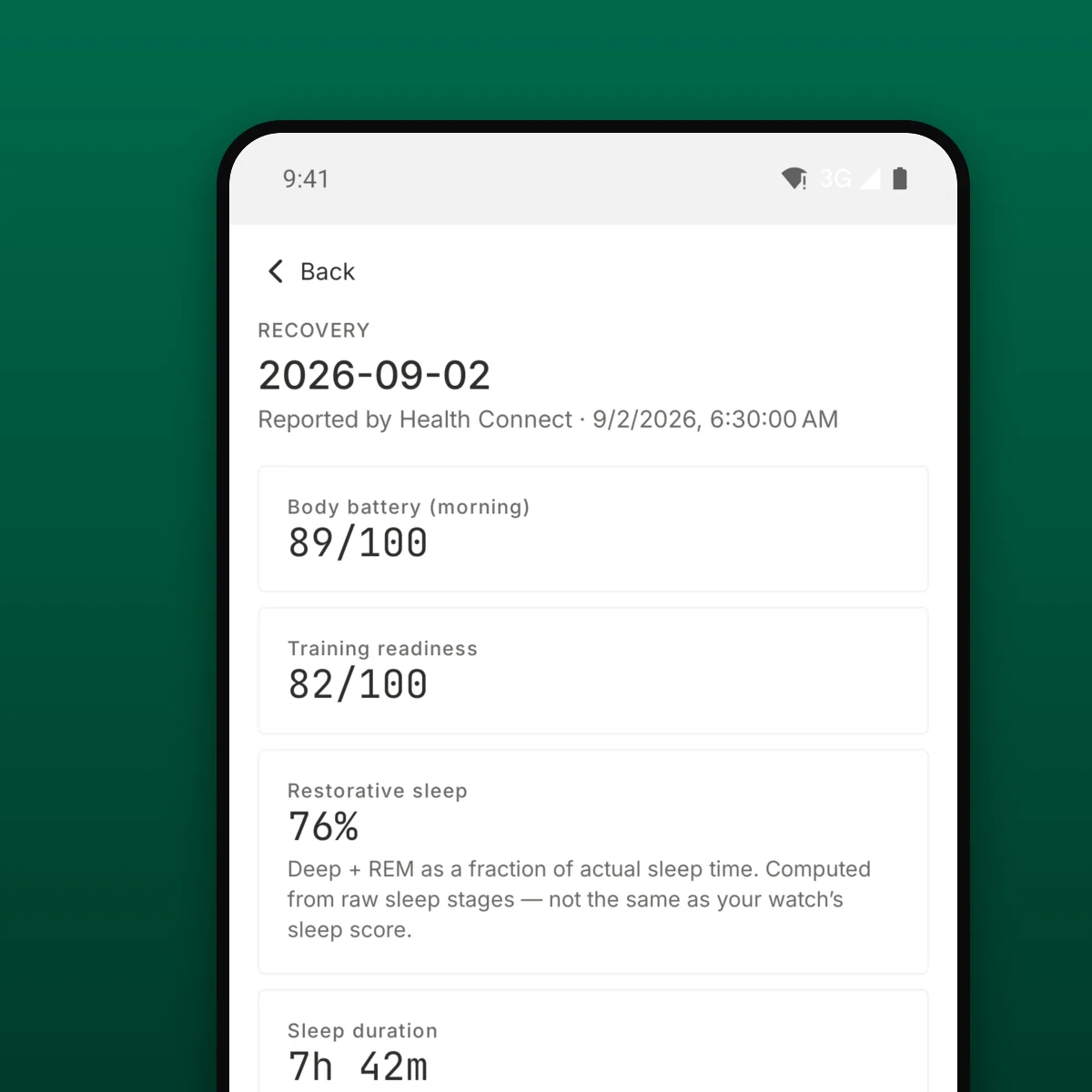
HRV. If your autonomic recovery is dropping, next week’s volume eases off.
Sleep. Short nights stack up. The plan notices before you do.
How you felt. A quick rating after each session. ‘Easy’ when the plan said ‘hard’ changes the next week.
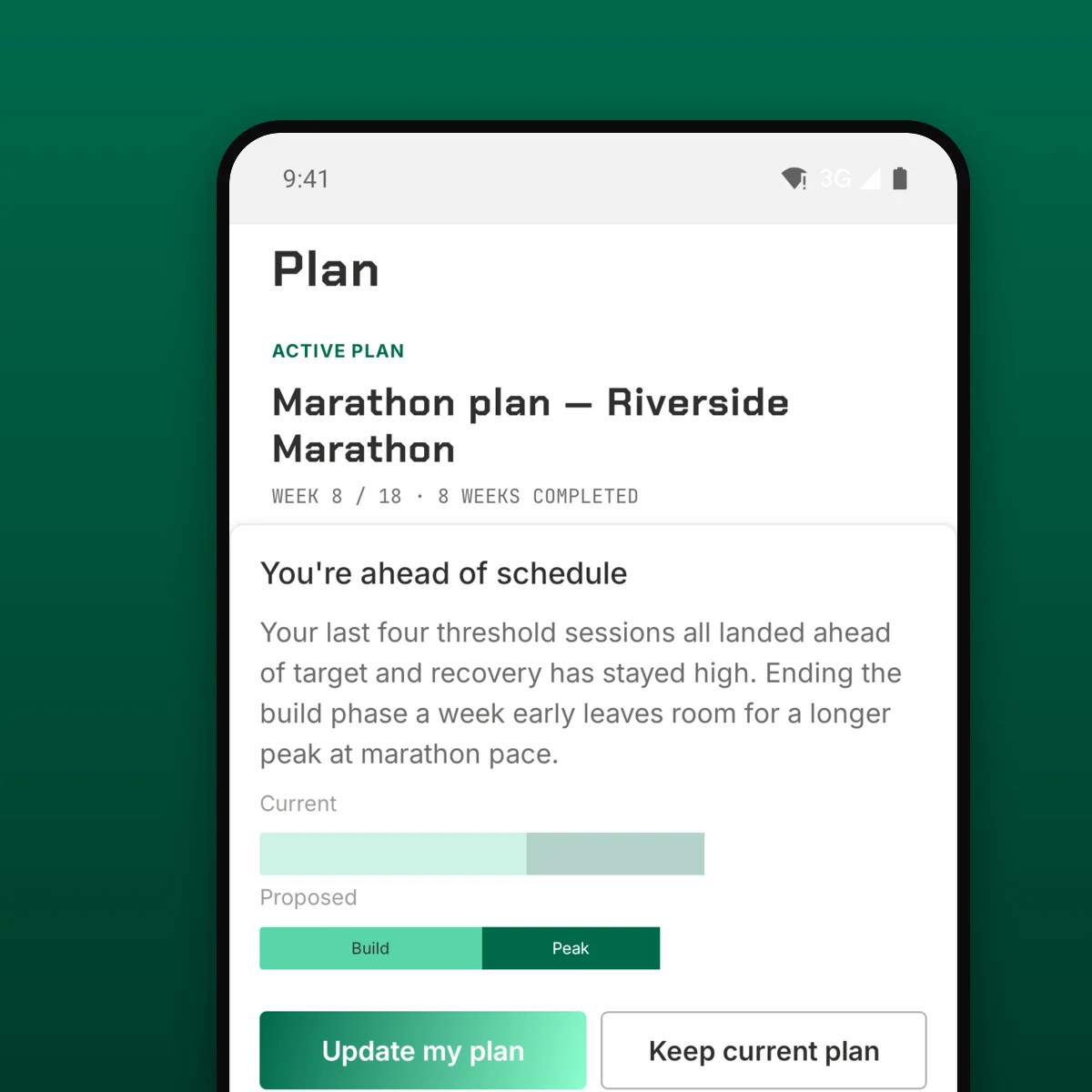
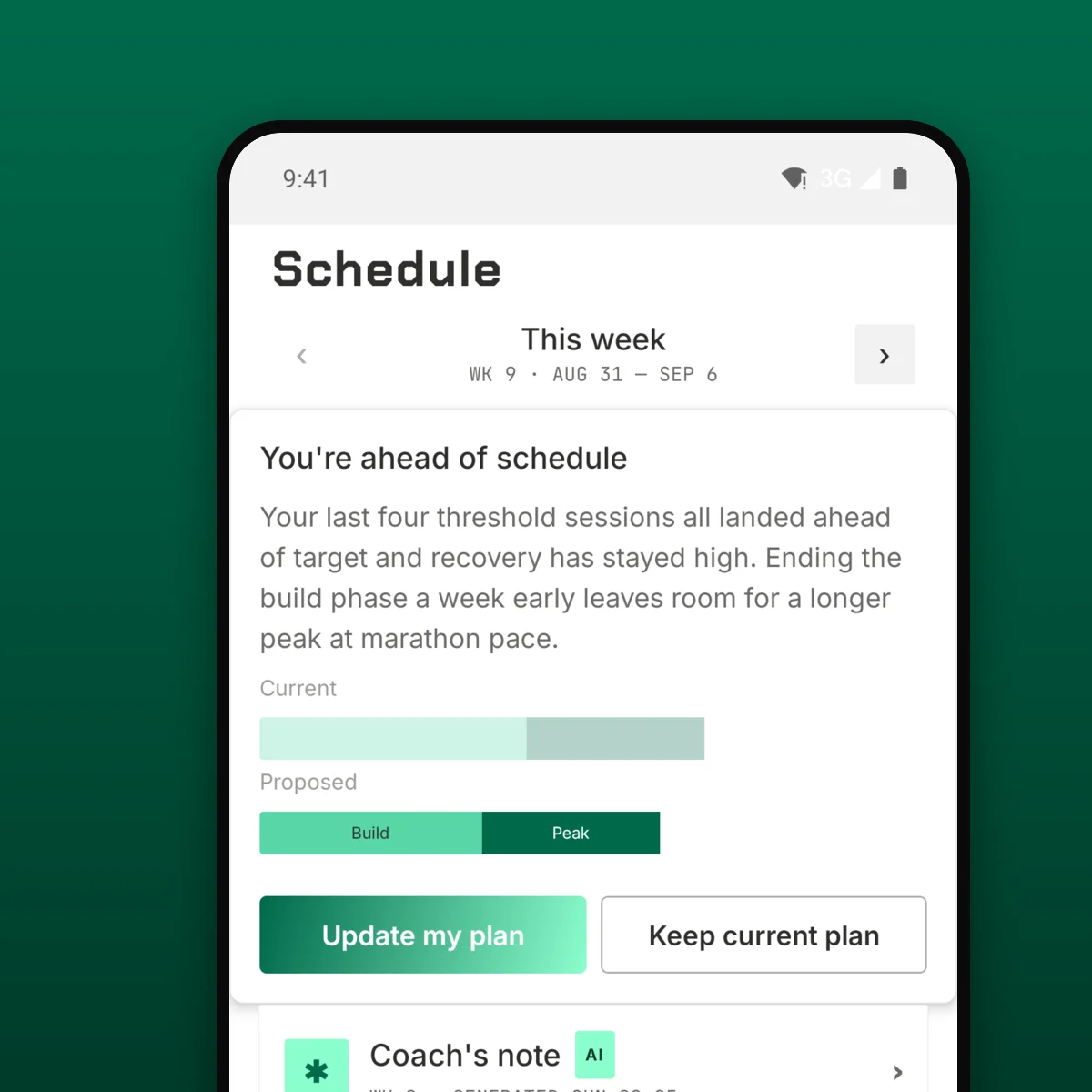
When any of these trigger a change, you get a banner in the app that tells you exactly what moved and why.
See how adaptation works

Every change comes with a reason.

Nothing changes silently. Every adaptation has a line you can read and a history you can scroll through.

You always have the last word.

Don't like tomorrow's session? Swap it, move it, or skip it. The plan rebuilds around your decision, not over it.

Hard days are followed by easier days.

No two hard sessions in a row unless you asked for them. Your fastest week of the block is the one you had to earn.

Volume only grows as fast as your body can keep up.

Extra mileage arrives when your recent training says you can absorb it. If your recent training history says you're not ready, the plan waits.

Your watch isn't the only thing we listen to.

HRV and sleep matter, but so does the 'how did that feel?' rating after the session. You get a vote.

UNDER THE HOOD

Yes — it's AI. No — it's not magic.

TrainPlan is a purpose-built model, not a general-purpose chatbot. It’s trained on running physiology and coaching principles. It knows what a threshold session does, why a deload week exists, and what a suspicious HRV drop looks like.
The plan is generated and re-generated in the cloud — your training data goes up, your new plan comes back. Everything is explained in natural language because the engine is required to write its own reasoning. If it can’t explain a change, it doesn’t make the change.
That’s the real difference between TrainPlan and a plan that pretends to adapt.

FOUNDING OFFER

Founding Runner — first 500 only.

Start your 30-day free trial now, and lock in year one of TrainPlan Pro at €49.99. You’ll renew at €69.99/year afterwards, same as everyone else. No code to enter — the discount applies automatically at the end of your trial, while spots last.

FAQ

Still have questions?

TrainPlan picks the plan back up from where you are, not where you were supposed to be. You won’t come back to a week of sessions you can’t physically do.

Yes. Stack as many goals as you like; TrainPlan sequences them so the most important one peaks cleanly. Shorter tune-up races become test events, not peaks.

No. If you have access to a one-to-one coach, keep them. TrainPlan replaces the PDF plan you’d follow otherwise — the kind that never flexes when your life does.

Your training history stays read-only for 90 days in case you come back. Plan generation stops the moment your subscription ends.

Yes. Phone-tracked runs reach Apple Health or Health Connect on their own, so pace and distance arrive and the plan adapts on them. Add a watch and heart rate and sleep sharpen the weekly adaptation further — most people connect one within two weeks of signing up.

STILL WITH US?

Let's build your plan.

Thirty days free. Setup takes less time than a warm-up jog.

Free for 30 days. Then €9.99/month or €69.99/year. Cancel anytime.